images[0].save("out.pdf", save_all=True, append_images=images[1:], resolution=150), after converting every
image to RGB. resolution sets the physical page size (pixels ÷ dpi = inches); without it pages are
huge. For uniform printable pages, paste each image onto an A4 or Letter canvas first.
One image, and the page-size surprise
To see what Pillow wrote, this helper reads the page sizes back out of the PDF:
import re


def page_sizes(pdf):
    """Page sizes in a PDF, in points (1/72 inch), read from the /MediaBox entries."""
    boxes = re.findall(rb"/MediaBox \[ *0 0 ([\d.]+) ([\d.]+) *\]", open(pdf, "rb").read())
    return [(float(w), float(h)) for w, h in boxes]

from PIL import Image

img = Image.open("photo.jpg")                    # 1600 x 1067 pixels
img.save("photo.pdf")
w, h = page_sizes("photo.pdf")[0]
print(f"page: {w:.0f} x {h:.0f} pt = {w / 72:.1f} x {h / 72:.1f} inches = {w / 72 * 2.54:.0f} x {h / 72 * 2.54:.0f} cm")

img.save("photo_300dpi.pdf", resolution=300)
w, h = page_sizes("photo_300dpi.pdf")[0]
print(f"at 300 dpi: {w / 72:.2f} x {h / 72:.2f} inches")page: 1600 x 1067 pt = 22.2 x 14.8 inches = 56 x 38 cm
at 300 dpi: 5.33 x 3.56 inchesPDF measures pages in points, 72 to the inch, and Pillow's default resolution is 72, so each pixel becomes a
point. The image data is the same in both files; only the page it is placed on changes. A viewer opening the first file at
"actual size" shows a 56 cm wide page; printing it scales it down or crops it.
Several images in one PDF
import re


def page_sizes(pdf):
    """Page sizes in a PDF, in points (1/72 inch), read from the /MediaBox entries."""
    boxes = re.findall(rb"/MediaBox \[ *0 0 ([\d.]+) ([\d.]+) *\]", open(pdf, "rb").read())
    return [(float(w), float(h)) for w, h in boxes]

from pathlib import Path
from PIL import Image

pages = []
for path in sorted(Path("photos").iterdir()):
    with Image.open(path) as im:
        pages.append(im.convert("RGB"))          # one mode for all pages

pages[0].save("album.pdf", save_all=True, append_images=pages[1:], resolution=150)
for i, (w, h) in enumerate(page_sizes("album.pdf"), 1):
print(f"page {i}: {w / 72 * 25.4:5.0f} x {h / 72 * 25.4:5.0f} mm")page 1: 152 x 102 mm
page 2: 271 x 181 mm
page 3: 181 x 271 mm
page 4: 406 x 229 mmEach page takes the size of its own image, so mixed portrait and landscape photos give a PDF with pages of different shapes. That is fine on screen. For printing, use fixed pages:
Fixed A4 pages with margins
import re


def page_sizes(pdf):
    """Page sizes in a PDF, in points (1/72 inch), read from the /MediaBox entries."""
    boxes = re.findall(rb"/MediaBox \[ *0 0 ([\d.]+) ([\d.]+) *\]", open(pdf, "rb").read())
    return [(float(w), float(h)) for w, h in boxes]

from pathlib import Path
from PIL import Image, ImageOps

DPI = 150
A4 = (round(8.27 * DPI), round(11.69 * DPI))     # 1240 x 1754 pixels at 150 dpi
MARGIN = round(0.5 * DPI)                        # half an inch


def on_a4(img):
    img = ImageOps.exif_transpose(img).convert("RGB")
    page = Image.new("RGB", A4, "white")
    img = ImageOps.contain(img, (A4[0] - 2 * MARGIN, A4[1] - 2 * MARGIN), Image.LANCZOS)
    page.paste(img, ((A4[0] - img.width) // 2, (A4[1] - img.height) // 2))
    return page


pages = [on_a4(Image.open(p)) for p in sorted(Path("photos").iterdir())]
pages[0].save("a4.pdf", save_all=True, append_images=pages[1:], resolution=DPI)
print(len(pages), "pages, all", {f"{w / 72 * 25.4:.0f} x {h / 72 * 25.4:.0f} mm" for w, h in page_sizes("a4.pdf")})
pages[1].resize((A4[0] // 4, A4[1] // 4)).save("a4_page2.png")4 pages, all {'210 x 297 mm'}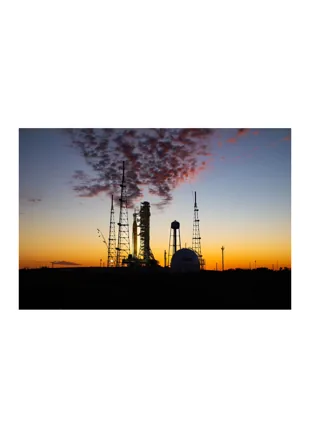
ImageOps.contain() scales the image to fit inside the area without cropping, and exif_transpose()
keeps phone photos upright. For US Letter, use 8.5 × 11 inches. Raise DPI to 300 for print quality; the
page size stays the same, the pixel count and file size go up.
File size and quality
import io
import os
from PIL import Image

img = Image.open("photo.jpg")
print(f"original JPEG file: {os.path.getsize('photo.jpg') / 1024:6.0f} KB")
for q in [95, 85, 75, 50]:
    buf = io.BytesIO()
    img.save(buf, "PDF", quality=q)
print(f"PDF, quality={q}: {buf.tell() / 1024:6.0f} KB")original JPEG file: 233 KB
PDF, quality=95: 301 KB
PDF, quality=85: 190 KB
PDF, quality=75: 119 KB
PDF, quality=50: 82 KBPillow decodes the JPEG and encodes it again inside the PDF, so at high quality the PDF can be larger than the
original file, and every save loses a little quality. quality works as it does for JPEG. If you need the original
JPEG bytes embedded untouched, the separate img2pdf package does exactly that.
Transparent PNGs
import re
from PIL import Image

logo = Image.open("logo.png")                                    # RGBA
logo.save("logo.pdf")
print("RGBA page encoded as:", re.findall(r"/Filter /(\w+)", open("logo.pdf", "rb").read().decode("latin-1")))

flat = Image.new("RGB", logo.size, "white")
flat.paste(logo, mask=logo.getchannel("A"))
flat.save("logo_flat.pdf")
print("flattened RGB page: ", re.findall(r"/Filter /(\w+)", open("logo_flat.pdf", "rb").read().decode("latin-1")))RGBA page encoded as: ['JPXDecode']
flattened RGB page: ['DCTDecode']Pillow keeps transparency by storing RGBA pages as JPEG 2000 (JPXDecode), which some older viewers and
printers handle poorly. Flattening onto white first produces an ordinary JPEG-encoded page (DCTDecode) that every
PDF reader displays.
Related
The outputs and images on this page are the real results of running every example with Pillow 12.3.0 on Python 3.13 (Linux) on 2026-10-15. Every example is also re-run automatically on macOS (Darwin 25.6.0, Pillow 12.3.0), Linux (Linux 6.17.0-1022-azure, Pillow 12.3.0), Windows (Windows 2025Server, Pillow 12.3.0); the line under each example shows the result per operating system. The DejaVu Sans font files sit next to each script so font examples behave the same everywhere. Sample photos: NASA/Sam Lott, public domain. Spotted something wrong? Tell us.